




Samsung repair technicians and GSM professionals always keep an eye on new tool updates. A small update can sometimes make a huge difference in daily repair work. The latest Octoplus Samsung Tool v5.1.0 update is one of those releases that many technicians were waiting for.

This update brings support for Exynos 9610 and Exynos 9611 processors in EUB Mode, along with several improvements in loaders, device repair functions, and FRP-related operations.
If you work with Samsung devices regularly, especially models like Galaxy A50, A51, M21, M31, and similar Exynos devices, this update is definitely worth paying attention to.
In this detailed guide, we will explain everything included in the Octoplus Samsung Tool v5.1.0 update, supported devices, new features, and what these changes mean for technicians.
Table of Contents
What is Octoplus Samsung Tool?
Before discussing the update, it is important to understand what this tool actually does.
Octoplus Samsung Tool is a professional mobile servicing software used by GSM technicians for Samsung device repair and unlocking operations. It is part of the Octoplus ecosystem and works with Octoplus Box or Octopus Box hardware.
Technicians commonly use this tool for operations such as:
- FRP reset
- network unlock
- firmware repair
- reading device information
- repairing IMEI
- removing security locks
- flashing firmware
- and performing deep-level repair tasks.
Because Samsung continuously updates its security mechanisms, tools like Octoplus also need regular updates to maintain compatibility with newer devices and firmware.
That is why each new version is important.
Octoplus Samsung Tool v5.1.0 – Overview
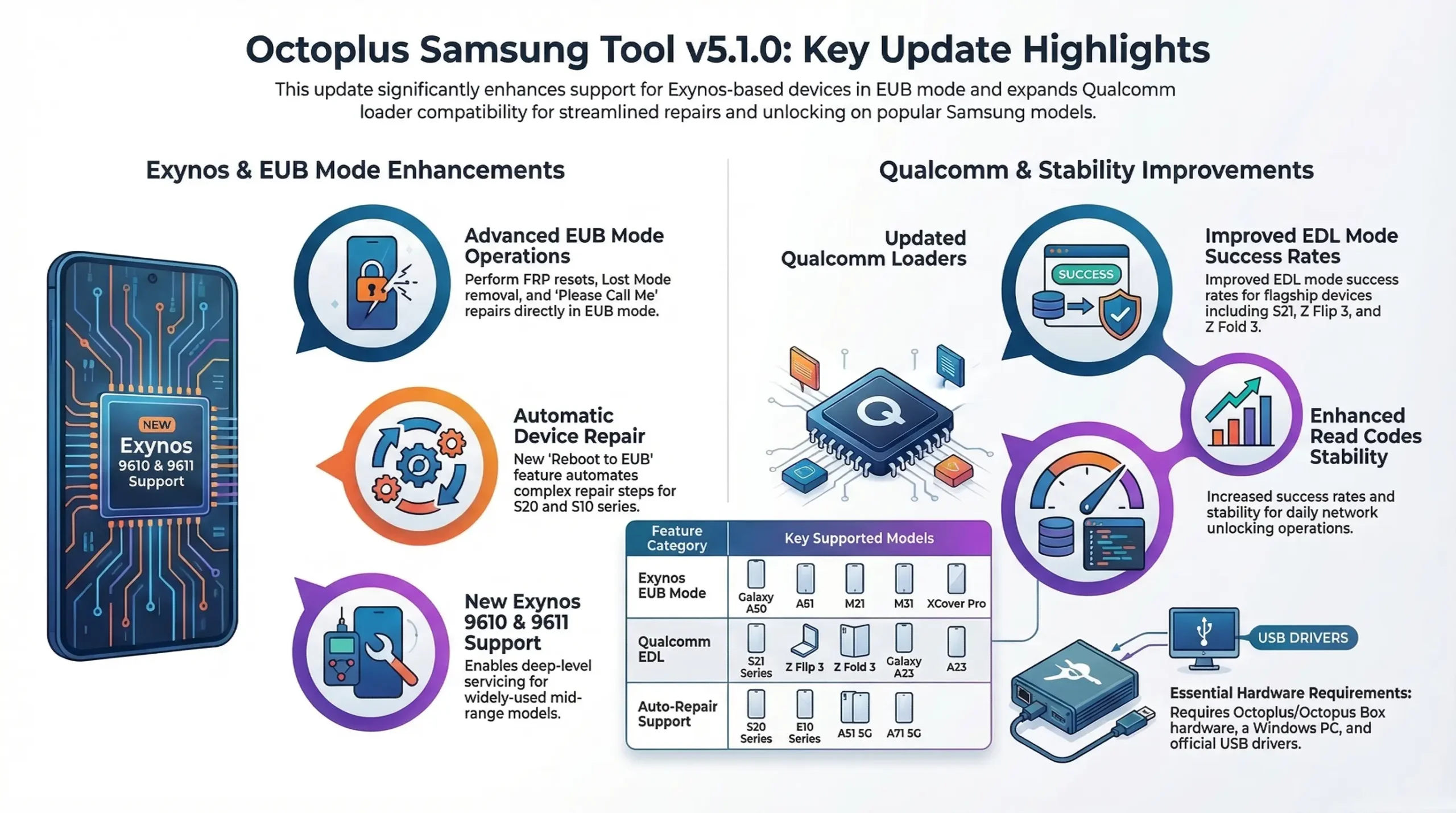
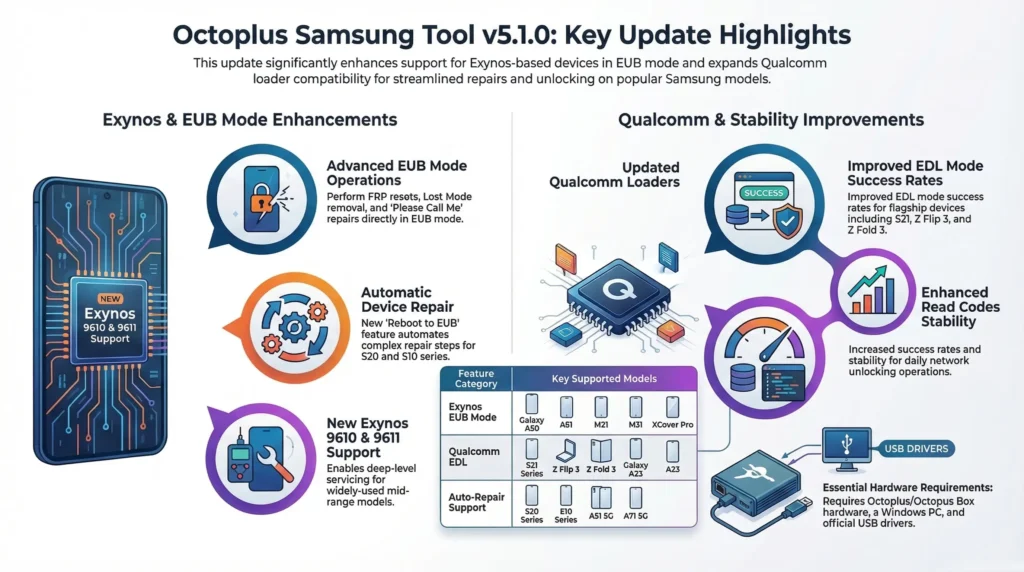
The Octoplus Samsung Tool v5.1.0 update mainly focuses on improving support for Exynos-based devices, especially those using Exynos 9610 and Exynos 9611 chipsets.
The update also introduces improvements in EUB Mode operations, additional loader support for Qualcomm-based devices, and improved stability for several functions.
Main highlights of this update include:
- Support for Exynos 9610 and Exynos 9611 processors in EUB mode
- New operations available in EUB mode
- Added Reboot to EUB with automatic device repair
- Updated Qualcomm loaders for various Samsung models
- Improved stability and success rate for Read Codes operations
For technicians working with Samsung mid-range devices, this update can simplify several tasks.
Support for Exynos 9610 and Exynos 9611 in EUB Mode
One of the most important additions in this release is the support for devices based on Exynos 9610 and Exynos 9611 processors in EUB mode.
These processors are used in several popular Samsung devices released between 2019 and 2021.
The update adds compatibility with multiple models including:
- Samsung Galaxy A50
- Samsung Galaxy A50s
- Samsung Galaxy A51 (2019)
- Samsung Galaxy F41
- Samsung Galaxy XCover Pro
- Samsung Galaxy M21
- Samsung Galaxy M30s
- Samsung Galaxy M31
- Samsung Galaxy M31s
Many of these devices are still widely used, and technicians frequently encounter them in repair shops.
Having proper EUB support means these devices can now be serviced more easily using Octoplus Samsung Tool.
Operations Available in EUB Mode
The update also introduces several important operations that can be performed in EUB mode.
Currently available operations include:
Reset FRP (EUB)
This allows technicians to remove Factory Reset Protection directly in EUB mode.
Remove Lost Mode (EUB)
Lost mode removal can be useful when dealing with certain locked devices.
Remove Please Call Me (EUB)
This feature is currently available only for Korean models.
For technicians handling devices imported from different regions, this feature can be especially helpful.
Reboot to EUB and Automatic Device Repair
Another interesting addition in version 5.1.0 is the Reboot to EUB option with automatic repair functionality.
This feature has been added for several Samsung models including:
- Samsung Galaxy A21s
- Samsung Galaxy A51 5G
- Samsung Galaxy A71 5G
- Samsung Galaxy S10e
- Samsung Galaxy S10
- Samsung Galaxy S10+
- Samsung Galaxy S10 5G
- Samsung Galaxy S20 series
- Samsung Galaxy A50
- Samsung Galaxy A50s
- Samsung Galaxy A51
- Samsung Galaxy F41
- Samsung Galaxy XCover Pro
- Samsung Galaxy M21
- Samsung Galaxy M30s
- Samsung Galaxy M31
- Samsung Galaxy M31s
This functionality simplifies certain repair tasks because the tool can automatically handle some parts of the process after switching the device to EUB mode.
For technicians, this means fewer manual steps and faster servicing.
Updated Qualcomm Loaders via EDL Mode
The update also brings improvements for Qualcomm-based Samsung devices through updated loaders that work in EDL mode.
Several devices received loader updates including:
- Samsung Galaxy A23
- Samsung Galaxy F14
- Samsung Galaxy F23 5G
- Samsung Galaxy Z Flip 3 5G
- Samsung Galaxy Z Fold 3 5G
- Samsung Galaxy S21 series
- Samsung Galaxy M14
These updates help improve compatibility with newer firmware versions and security patches.
In practical terms, technicians may experience better success rates when performing operations through EDL mode on supported Qualcomm devices.
Improvements in Read Codes Operations
Another change mentioned in the update is the improvement in Read Codes operations.
According to the release notes:
- Support for various devices has been improved
- Stability has been enhanced
- Success rate has been increased
These types of improvements might not sound dramatic, but they are extremely valuable for daily repair work.
Even small improvements in stability can save a lot of time in real repair scenarios.
Why This Update Matters for GSM Technicians
From a technician’s perspective, this update is useful mainly because it focuses on mid-range Samsung devices that are still very common in repair shops.
Devices like the Galaxy A50, A51, and M series are widely used in many countries.
Many technicians receive these devices for:
- FRP removal
- software repair
- unlocking issues
- firmware flashing
- boot problems.
Having proper support through tools like Octoplus simplifies these tasks significantly.
Instead of relying on complicated workarounds, technicians can perform operations directly through the tool.
Basic Requirements to Use Octoplus Samsung Tool
To use the tool properly, you generally need:
- Octoplus Box or Octopus Box hardware
- Windows computer
- proper USB drivers installed
- compatible Samsung device
- stable USB connection.
Keeping your tool updated ensures better compatibility with newer devices and firmware versions.
Tips for Technicians After Updating
After installing a new update, technicians usually follow a few best practices.
First, restart the software and ensure the update installed correctly.
Second, install or update device drivers if required.
Third, check supported models inside the software interface before performing operations.
Finally, always test new features carefully when working on customer devices.
These simple precautions can prevent unnecessary problems.
Download Octoplus Samsung Tool v5.1.0
Download Octoplus Samsung Tool v5.1.0
Get the latest version of Octoplus Samsung Tool with support for Exynos 9610 and Exynos 9611 EUB mode devices. This update also improves loaders, FRP reset operations and device repair stability.
Always download the software from the official Octoplus website to ensure you are using the latest and safe version of the tool.
Final Thoughts
The Octoplus Samsung Tool v5.1.0 update brings meaningful improvements for technicians working with Samsung devices.
By adding Exynos 9610 and Exynos 9611 EUB mode support, improving Qualcomm loaders, and enhancing stability for several operations, this release helps expand the capabilities of the tool.
For repair professionals dealing with Samsung devices daily, staying updated with the latest tool versions is essential.
Updates like this ensure compatibility with newer firmware versions and make servicing easier and more reliable.
If you already use Octoplus or Octopus Box in your repair setup, installing the latest version is definitely recommended.
FAQs – Octoplus Samsung Tool v5.1.0
What is Octoplus Samsung Tool v5.1.0?
Octoplus Samsung Tool v5.1.0 is the latest software update for Octoplus Box and Octopus Box that adds support for Samsung devices powered by Exynos 9610 and Exynos 9611 processors in EUB mode. The update also improves FRP reset operations, loader compatibility, and overall stability for Samsung device servicing.
Which Samsung devices are supported in the latest update?
The update mainly adds support for Samsung devices using Exynos 9610 and Exynos 9611 processors. Some supported devices include Galaxy A50, A50s, A51 (2019), F41, M21, M30s, M31, M31s, and XCover Pro.
What operations can be performed in EUB mode?
Currently the following operations are supported in EUB mode:
Reset FRP
Remove Lost Mode
Remove Please Call Me (only for Korean models)
These operations help technicians repair locked Samsung devices more easily.
Is Octoplus Samsung Tool v5.1.0 free to download?
Yes, the software update can be downloaded from the official Octoplus website. However, to use the software you must have an Octoplus Box or Octopus Box hardware device
Where can I download Octoplus Samsung Tool v5.1.0?
You can download the latest version directly from the official website:
https://octoplusbox.com/en/download/software/
Always download the tool from the official source to avoid modified or unsafe files.

