




Introduction
Agar aap mobile repairing ya GSM software field me ho, to HW Key Tool ka naam aapne zaroor suna hoga. Ye tool flashing, unlocking aur servicing ke liye kaafi popular hai.
Lekin kaafi users ko use karte time HW Key Tool errors ka saamna karna padta hai.

Kabhi tool open nahi hota, kabhi login error aa jata hai, to kabhi server ya credit related problem dikhti hai.
Is blog me hum HW Key Tool error fix ke sabhi common problems ko step-by-step simple language me solve karenge.
👉 Ye guide beginners aur professionals dono ke liye useful hai.
Table of Contents
HW Key Tool Not Opening Error Fix
Ye sabse common issue hai jisme tool double click karne ke baad bhi open nahi hota.
Possible Reasons:
- Missing system files
- Antivirus block
- Windows compatibility issue
Solution:
- Tool folder ko antivirus exclusion list me add kare
- Run as Administrator try kare
- Windows version check kare (Windows 10/11 recommended)
- Latest Visual C++ Redistributable install kare
👉 Zyada cases me antivirus disable ya exclusion add karne se problem solve ho jati hai.
HW Key Tool Login Failed Problem
Agar login karte time “Login Failed” ya Invalid credentials ka error aa raha hai, to ye steps follow kare.
Check Points:
- Username & password sahi ho
- Internet connection stable ho
- VPN OFF ho
Fix Steps:
- Tool ko restart kare
- Router restart kare
- Public network ki jagah private Wi-Fi use kare
- Agar fir bhi issue aaye, to server busy ho sakta hai
👉 Kabhi-kabhi server maintenance ki wajah se bhi login issue aata hai.
HW Key Tool Server Error Solution
Server error ka matlab hota hai tool ka server response nahi de raha.
Common Messages:
- Server error
- Cannot connect to server
- Server timeout
Solution:
- Thoda wait kare (15–30 minutes)
- Official channel se server status check kare
- Firewall settings check kare
- DNS change kare (8.8.8.8 / 8.8.4.4)
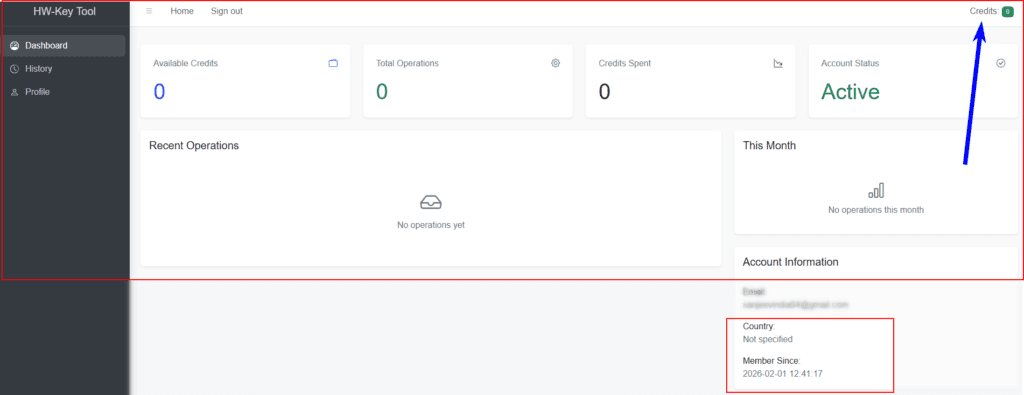
HW Key Tool Credit Error Fix
Credit error tab aata hai jab tool kisi paid function ke liye credits maangta hai.
Error Types:
- No credit available
- Credit expired
- Service not allowed
Solution:
- Account credit balance check kare
- Correct function select kare
- Unsupported model par try na kare
👉 Free operations aur paid operations ko clearly samjhe.
HW Key Tool Antivirus Blocked Issue
90% GSM tools antivirus me virus ke roop me detect ho jaate hain (false positive).
Fix:
- Tool folder ko Exclude kare
- Real-time protection OFF kare (temporary)
- Windows Defender me “Allow” kare
⚠️ Trusted source se hi tool download kare.
HW Key Tool Windows 10 / 11 Error
New Windows versions me compatibility issues common hain.
Fix:
- Compatibility mode → Windows 8
- Disable driver signature (agar required)
- Latest Windows updates install kare
HW Key Tool Stuck at Connecting
Agar tool “Connecting…” par atak jata hai:
Solution:
- Internet speed check kare
- VPN OFF rakhe
- Tool ka latest version use kare
- Background me running old instance close kare
HW Key Tool Update Error Fix
Update ke time error aana bhi common hai.
Fix:
- Tool close karke dobara open kare
- Antivirus temporarily disable kare
- Manual update option try kare
HW Key Tool Driver & Dependency Issues
Kabhi-kabhi driver ya required file missing hone ki wajah se error aata hai.
Required:
- USB drivers properly installed
- Visual C++ packages
- .NET Framework
HW Key Tool Safe Usage Tips
- Always latest version use kare
- Unknown files inject na kare
- Original Windows use kare
- Backup lena na bhule
HW Key Tool Download & Installation Guide
For users in the United States, downloading and installing HW Key Tool correctly is critical to avoid unnecessary errors.
Recommended System Requirements
- Windows 10 / Windows 11 (64-bit)
- Minimum 8GB RAM
- Stable broadband internet
- Latest USB drivers installed
Installation Steps
- Download HW Key Tool from the official or authorized source
- Disable antivirus temporarily (false positives are common)
- Extract files to a clean folder (e.g.
C:\HWKeyTool) - Install required dependencies:
- Visual C++ Redistributable
- .NET Framework
- Run the tool as Administrator
- Login using your registered credentials
✔ After proper installation, most startup and runtime errors are automatically resolved.
Best GSM Unlocking Tools for 2026 (Comparison)
Choosing the right GSM tool depends on brand support, reliability, and server stability.
Top GSM Tools in 2026
| Tool Name | Best For | Stability | Skill Level |
|---|---|---|---|
| HW Key Tool | Professional repairs | High | Advanced |
| Chimera Tool | Multi-brand unlocking | Very High | Intermediate |
| UnlockTool | Fast model support | Medium | Beginner |
| MRT Tool | Qualcomm devices | Medium | Advanced |
| UMT Tool | Budget repairs | Medium | Intermediate |
👉 HW Key Tool remains a strong choice for technicians who need precision and control rather than quick one-click operations.
HW Key Tool vs Competitor Tools (In-Depth)
Many technicians ask whether HW Key Tool is better than other GSM tools.
HW Key Tool – Strengths
- Stable server infrastructure
- Advanced service functions
- Professional-grade operations
- Lower failure rate on supported models
Competitor Tools – Strengths
- Faster support for new models
- Easier UI for beginners
- More automated processes
Which One Should You Choose?
- Professional repair shops → HW Key Tool
- Beginners or resellers → Automated tools
- Mixed workload → Combination of tools
👉 Serious technicians often keep HW Key Tool as a core utility and use others as secondary tools.
Top GSM Errors & Professional Fixes
Even experienced technicians face GSM-related errors. Here are the most common ones with professional fixes.
Common GSM Errors
- Device not detected
- Authorization failed
- Operation failed at 99%
- Security patch mismatch
- Bootloader communication error
Professional Fix Approach
- Always verify USB drivers
- Match device firmware correctly
- Avoid outdated tools
- Check server and credit status before retrying
- Never repeat failed operations blindly
✔ Understanding why an error occurs is more important than applying random fixes.
HW Key Tool – Official Download & Credits
Download the official HW Key Tool and purchase genuine credits to unlock advanced professional features. Secure, fast, and trusted by GSM technicians.
✔ Safe File • ✔ Instant Activation • ✔ Secure PaymentNeed HW Key Tool Credits?
Purchase official HW Key Tool credits securely and unlock advanced professional features without interruptions.
Buy HW Key Tool Credits ✔ Instant Activation • ✔ Secure Payment • ✔ Trusted SellerConclusion
Agar aap HW Key Tool error fix ke issues face kar rahe the, to ye guide aapke liye complete solution hai.
Most problems basic settings aur system configuration se hi solve ho jaati hain.
👉 Agar aap regular GSM tools use karte ho, to aisi error-fix guides aapke kaam ko kaafi easy bana deti hain.
FAQs – HW Key Tool Error Fix
HW Key Tool error kyun aata hai?
Mostly antivirus block, server issue ya outdated version ki wajah se.
HW Key Tool safe hai ya nahi?
Haan, agar trusted source se use kiya jaye.
HW Key Tool free version available hai?
Limited functions free hote hain, advanced features paid hote hain.
HW Key Tool alternative kaun se hain?
Market me kaafi tools available hain, lekin har tool ka support alag hota hai.


It’s great to see a comprehensive guide that tackles all the common issues with the HW Key Tool. I often ran into the server error, and this solution looks easy to follow.